1. What Is This Feature?
Today, billing already has a "Practitioner is Rendering Provider" setting, but it only exists at the Payer level. That's too broad — some appointment types or specific payer activities need different behavior than the payer's default.

This extends this same setting so it can also be configured at two more specific levels:
Appointment Type
Payer Activity
In plain terms: instead of one on/off switch for an entire payer, admins can now fine-tune the setting for a specific type of appointment, or for one activity under a payer, without affecting everything else.
2. Why Is It Useful?
This setting controls whose credentials get submitted on a claim — specifically, whether the practitioner who actually performed the service is listed as the rendering provider on the CMS-1500 claim form (the standard medical billing form). Getting this wrong can mean claims are submitted with the wrong provider's NPI (National Provider Identifier), which can cause claim rejections or compliance issues.
Before this change, the only option was a single payer-wide rule. Now users can:
Set a strict rule for a specific appointment type (e.g., always use the rendering practitioner for telehealth visits), regardless of what the payer default says.
Let most payer activities simply inherit the payer's setting (less manual work).
Still override that inherited setting for one specific activity, if needed, without changing anything else.
This gives billing teams the flexibility to match real-world clinical and payer requirements instead of a one-size-fits-all rule.
3. How Does It Work?
The system uses a "Top-Down Inheritance" model — The Appointment Type setting sets the default behavior, and overrides the settings for the payer and activity level.
Priority order (most specific wins):
In practice:
Appointment Type is set? → That's final. Nothing else matters.
Appointment Type is "Not Set"? → The system looks at the Payer Activity.
Payer Activity has no override? → It falls back to whatever the Payer level says.
Existing configurations aren't touched — anything not yet set stays until someone changes it (no migration needed).
4. How Do I Use It?
Setting it at the Appointment Type level
Go to the Appointment Type configuration screen.
Enable/disable the "Practitioner is Rendering Provider" toggle.
A tooltip on hover explains: if enabled, the NPI of the practitioner who actually performed the service will be sent in Box 24J regardless of payer-level settings — this can still be overridden at the Payer Activity level.
Any appointment booked under this type will always follow this setting, no matter what the payer says.

Setting it at the Payer / Payer Activity level
At the Payer level, enabling the setting makes all Payer Activities under it inherit "Enabled" by default.

At the Payer Activity level, an admin can manually toggle the setting off for just that one activity — this "revokes" the inherited value without touching the Payer or other activities.
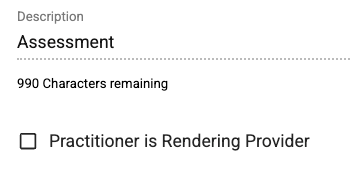
On this screen, the setting/description appears on the left, with the personal NPI field on the right.
What happens on the claim
When the setting is active for an appointment, the system fills out the CMS-1500 claim form as follows:
Box 24J (Rendering Provider ID): The practitioner's individual Type 1 NPI goes in the unshaded area (per service line). If the payer needs a secondary ID (like a state license number), it goes in the shaded area.
Box 24I (ID Qualifier): If a secondary ID is used in 24J's shaded area, the matching two-digit qualifier (e.g., "ZZ" for taxonomy) goes here.
Box 31 (Signature): Shows the name, credentials, and signature (or electronic equivalent) of the practitioner who actually rendered the service.
Auditability
Every change to this setting — at any level — leaves an audit log entry, so admins can trace who changed what and when.
5. Quick Reference / TL;DR
What: Lets admins control "Practitioner is Rendering Provider" at three levels instead of just one.
Why: More precise control over which NPI goes on a claim, matching real clinical/payer needs.
Rule of thumb: Appointment Type beats everything. Payer sets the default. Payer Activity can opt out of that default.
Where it shows up: CMS-1500 claim form, Boxes 24I, 24J, and 31.
Was this article helpful?
That’s Great!
Thank you for your feedback
Sorry! We couldn't be helpful
Thank you for your feedback
Feedback sent
We appreciate your effort and will try to fix the article