You can now decide whether providers see Clock-In and Clock-Out buttons on their session notes, and whether recording those times is required before a session can be rendered. Two configuration settings control this for your whole organization, on both web and mobile — useful for capturing accurate session times and supporting EVV.
Turning the Settings On
Go to Profile picture --> Configuration settings.
Under the Session Note settings section you'll find two related settings:
Show Clock-in/Clock-out buttons on session note — the main (parent) setting. When enabled, Clock-In and Clock-Out buttons appear on session notes on both web and mobile; when disabled, they're hidden everywhere. You can turn this on by itself.
Clock-in/Clock-out required on Session note — the sub (child) setting. When enabled, recording clock-in and clock-out becomes mandatory before a session can be rendered, on web and mobile.
Save your changes.
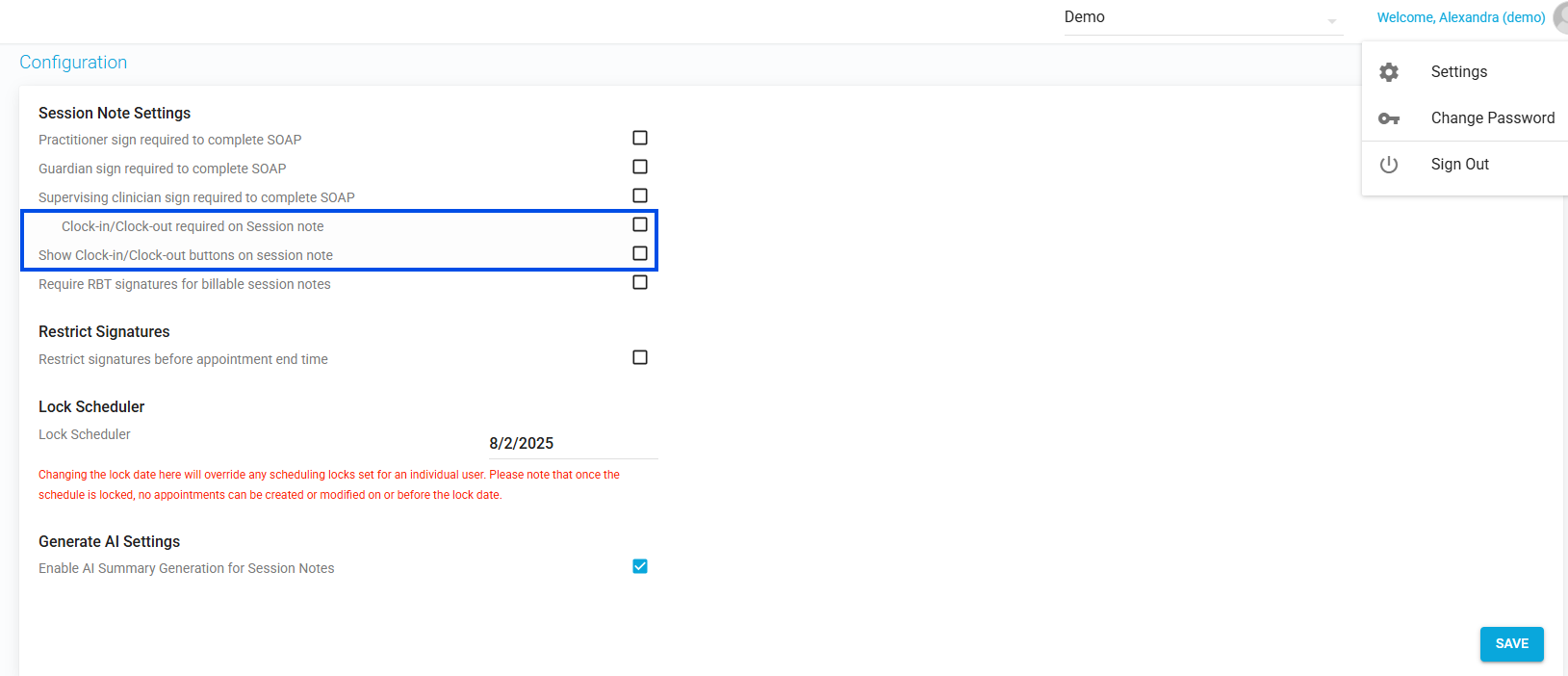
Picture 1: Configuration settings — the two Clock-in/Clock-out settings under Session Note settings
How the two settings relate:
Turning on the child setting automatically turns on the parent.
If only the parent is on (child off), the buttons appear but recording the times is optional for rendering.
If both are on, the times are required to render.
On the Web
When Clock-in/Clock-out required is on and a provider clicks Complete without recording both times, the system blocks rendering and shows: "Please record clock-in and clock-out time before rendering the session."
On Mobile
When the times are required, the mobile session-note flow walks the provider through clock-in, data collection, and clock-out.
Notes:
These settings apply across both the web and mobile apps.
They work alongside EVV: capturing clock-in/clock-out times supports accurate visit verification (see "Managing and Submitting EVV Visits").
Was this article helpful?
That’s Great!
Thank you for your feedback
Sorry! We couldn't be helpful
Thank you for your feedback
Feedback sent
We appreciate your effort and will try to fix the article