Every staff member now has a unique, system-generated Theralytics ID, and you can store an External Employee ID to match your own HR or payroll system. Both display consistently throughout the application.
Viewing and Adding the IDs
Go to Manage Users --> Add/Edit User.
The Theralytics ID appears at the top of the Custom Fields tab (and on the User Profile page). It's generated automatically and is read-only.
Enter the External Employee ID in the field next to State License Number on the User Info tab, then Save.
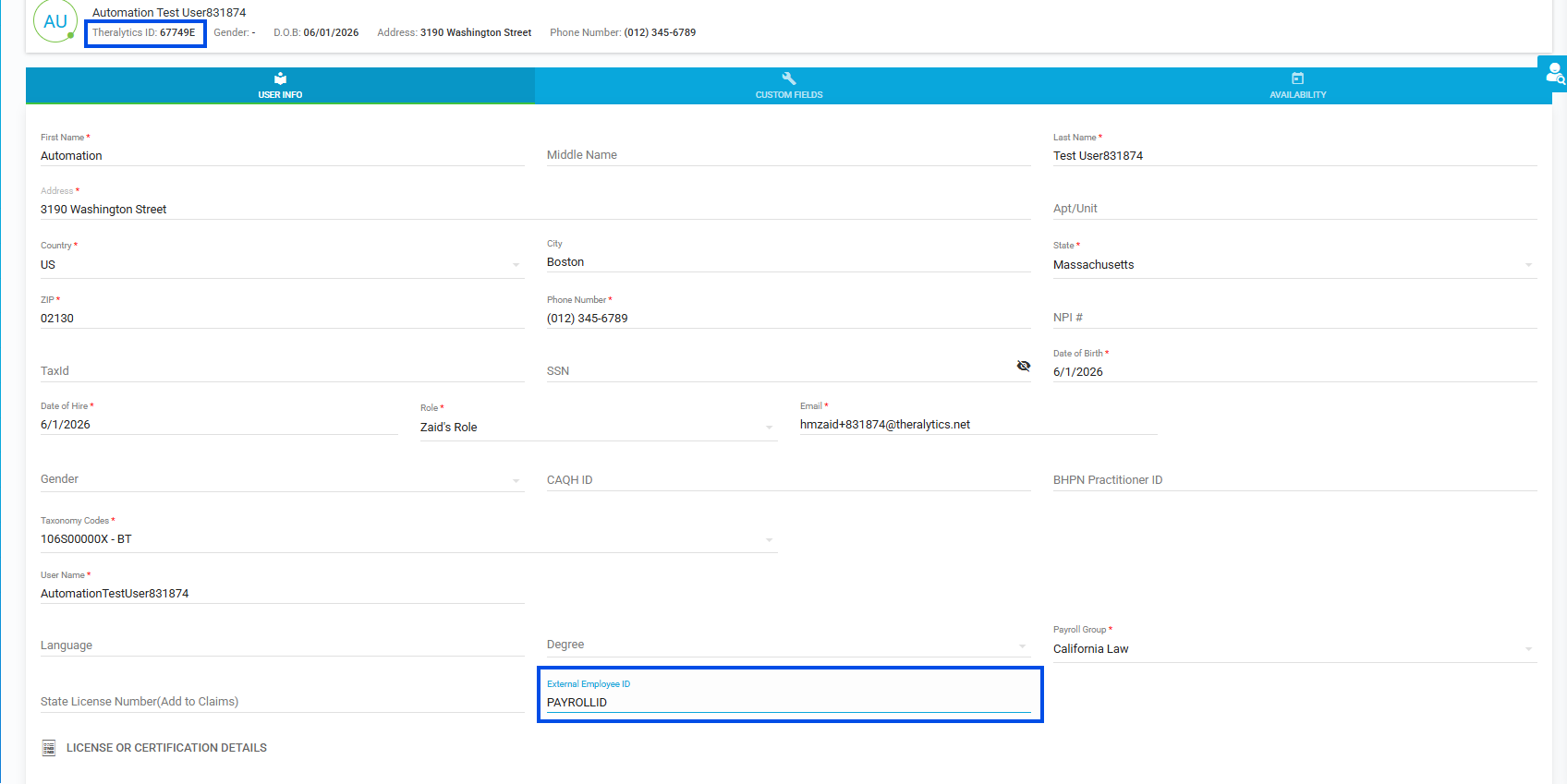
Picture 1: Add/Edit User showing Theralytics ID and External Employee ID
Notes:
Theralytics IDs are generated automatically for all existing and new staff.
The External Employee ID is optional, accepts up to 20 characters (letters, numbers, and special characters), and must be unique — duplicates show "External Employee ID already exists."
Adding or editing an External Employee ID is recorded in Logs --> Audit Logs.
Was this article helpful?
That’s Great!
Thank you for your feedback
Sorry! We couldn't be helpful
Thank you for your feedback
Feedback sent
We appreciate your effort and will try to fix the article