If you are currently using Office Ally as one of your clearinghouses, you should have received an email from their team regarding updates to the Sender ID and Receiver ID. We have already updated the Sender ID, but The Receiver ID value is your unique Office ally customer number and it must be updated to ensure 277 and 277CA claim acknowledgment files continue to sync to Theralytics seamlessly.
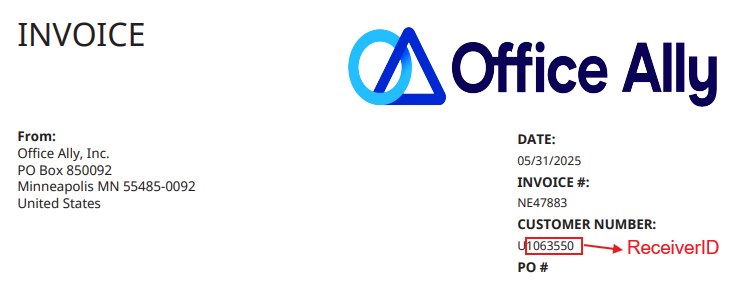
To locate your Receiver ID, you can check the “customer number” in any invoice. Invoices can be located in your Office Ally portal > Account Management > Invoices. The customer number is preceded by “U”. Only the numerical portion of this number should be used as your Receiver ID. For example in the image below, the Receiver ID would be “1063550”
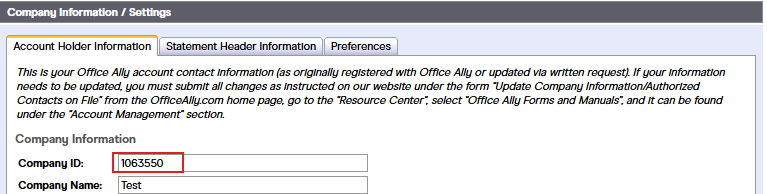
If you cannot access your invoices, this number is also listed as the Company ID under: My Settings > Admin Section > Company Information : Company ID:
If you cannot access your portal, then you will need to contact Office Ally directly at support@officeally.com to request your customer number or Receiver ID.
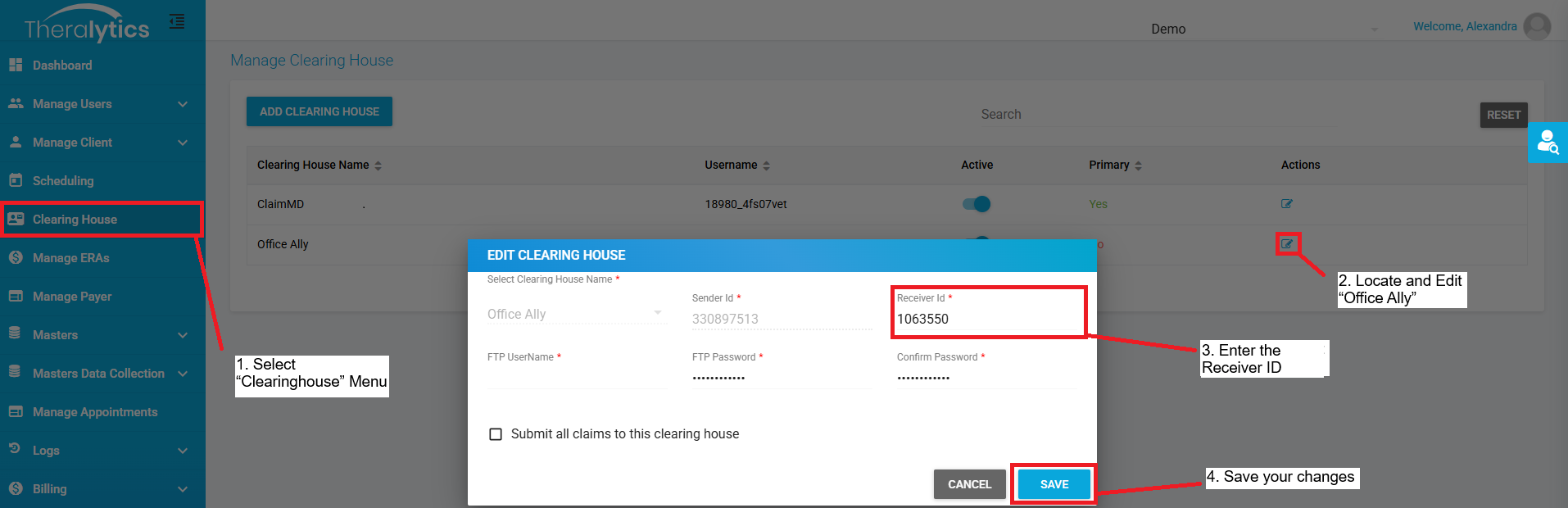
Once you have located this number, please make sure to save it to your Theralytics account by following these steps:
Select “Clearinghouse” Menu
Locate and Edit “Office Ally”
Enter the Receiver ID
Save your changes
Please let us know if you need further assistance in this process by reaching out to our support team at support@theralytics.net. Please note our team will not be able to locate your ReceiverID, and you will need to contact Office Ally for assis
Was this article helpful?
That’s Great!
Thank you for your feedback
Sorry! We couldn't be helpful
Thank you for your feedback
Feedback sent
We appreciate your effort and will try to fix the article