You can now see whether an appointment is billable straight from the scheduler, without opening the full appointment — making it quicker to plan and bill accurately.
Where to Look
Go to Menu --> Scheduling.
Hover over an appointment to open Appointment Info.
The appointment is labeled Billable or Non-billable, shown just below the Appointment Type.
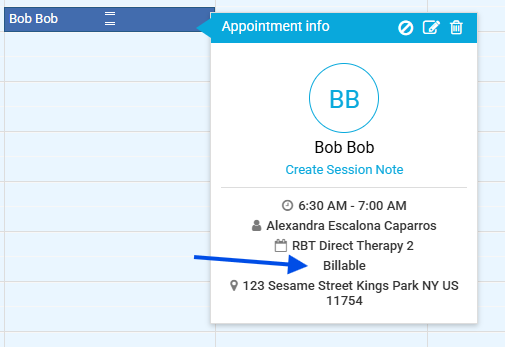
Picture 1: Appointment Info showing the Billable/Non-billable label
Was this article helpful?
That’s Great!
Thank you for your feedback
Sorry! We couldn't be helpful
Thank you for your feedback
Feedback sent
We appreciate your effort and will try to fix the article