Collecting a separate parent signature for the Regional Center Report can now be optional. When enabled, the report adds a Signature Page that automatically fills in the most recent signature captured from the client's last completed session — saving your families from signing an extra form.
Generating the Report with a Signature Page
Go to Reports --> Clinical --> Regional Center Report.
In the report filters, check Include Signature Page. A disclaimer appears in italics explaining that the page reuses the signature from the most recently completed session — review it before enabling.
Generate the report. A Signature Page is added as the final page, showing the Name, signature, and date from the client's most recent Encounter. If no signature is found, the boxes are left blank.
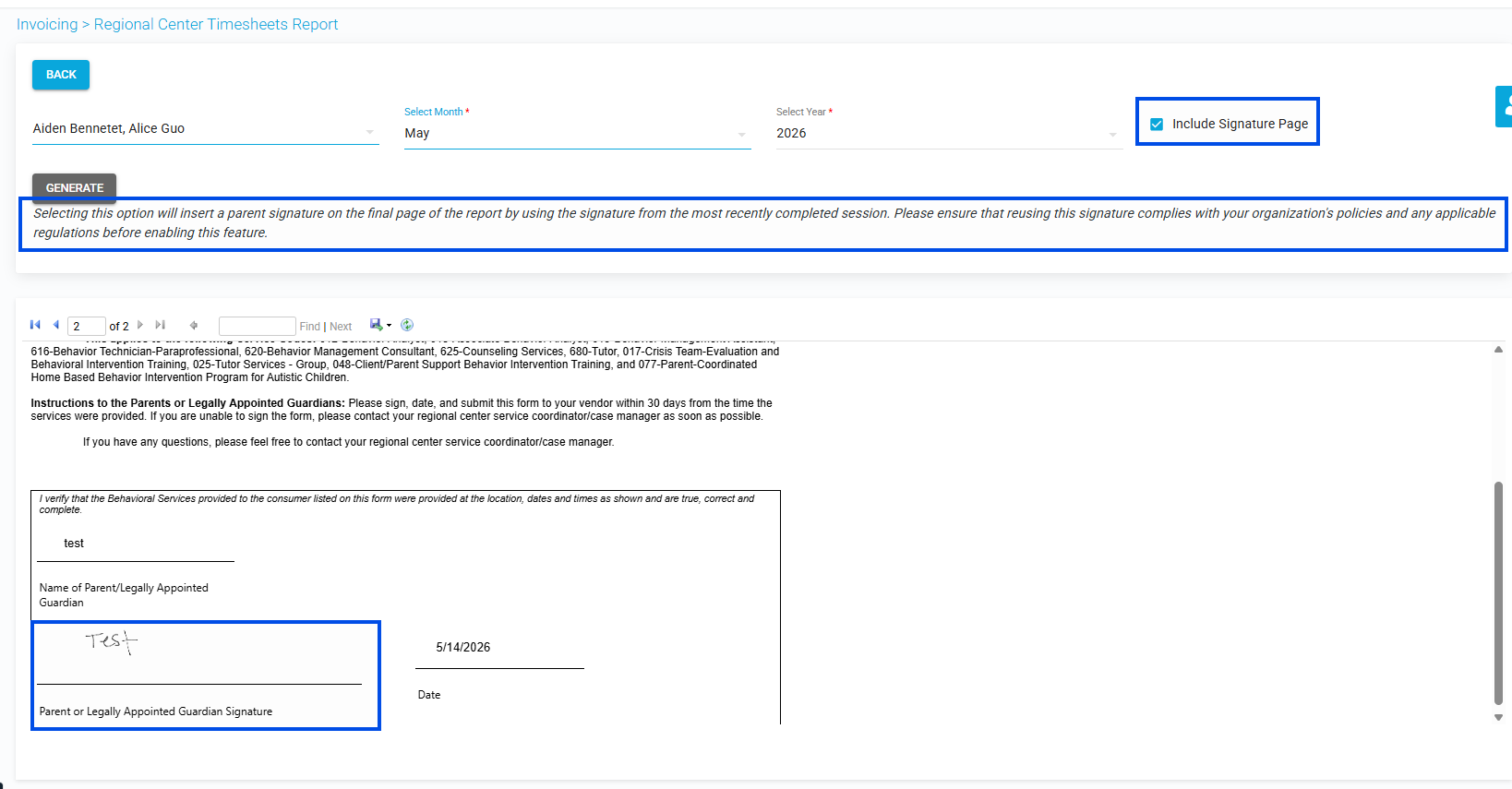
Picture1: Include Signature Page" checkbox in the report filters and output
Notes:
The disclaimer reads: "Selecting this option will insert a parent signature on the final page of the report by using the signature from the most recently completed session. Please ensure that reusing this signature complies with your organization's policies and any applicable regulations before enabling this feature." Confirm your compliance requirements before turning it on.
When the checkbox is left unchecked, the report generates exactly as it does today, with no signature page.
Was this article helpful?
That’s Great!
Thank you for your feedback
Sorry! We couldn't be helpful
Thank you for your feedback
Feedback sent
We appreciate your effort and will try to fix the article