You can now share ideas for new features directly from Theralytics. Requests go straight to our product team and help us decide what to build next.
Submitting a Request
- Go to Support --> New Feature Requests.
- The feature request window opens.
- Describe your idea, including the problem it solves for your practice.
- You may see that your idea has been requested in the past if a suggested topic comes up, please upvote the existing post rather than submitting a new one if possible.
- Submit your request.
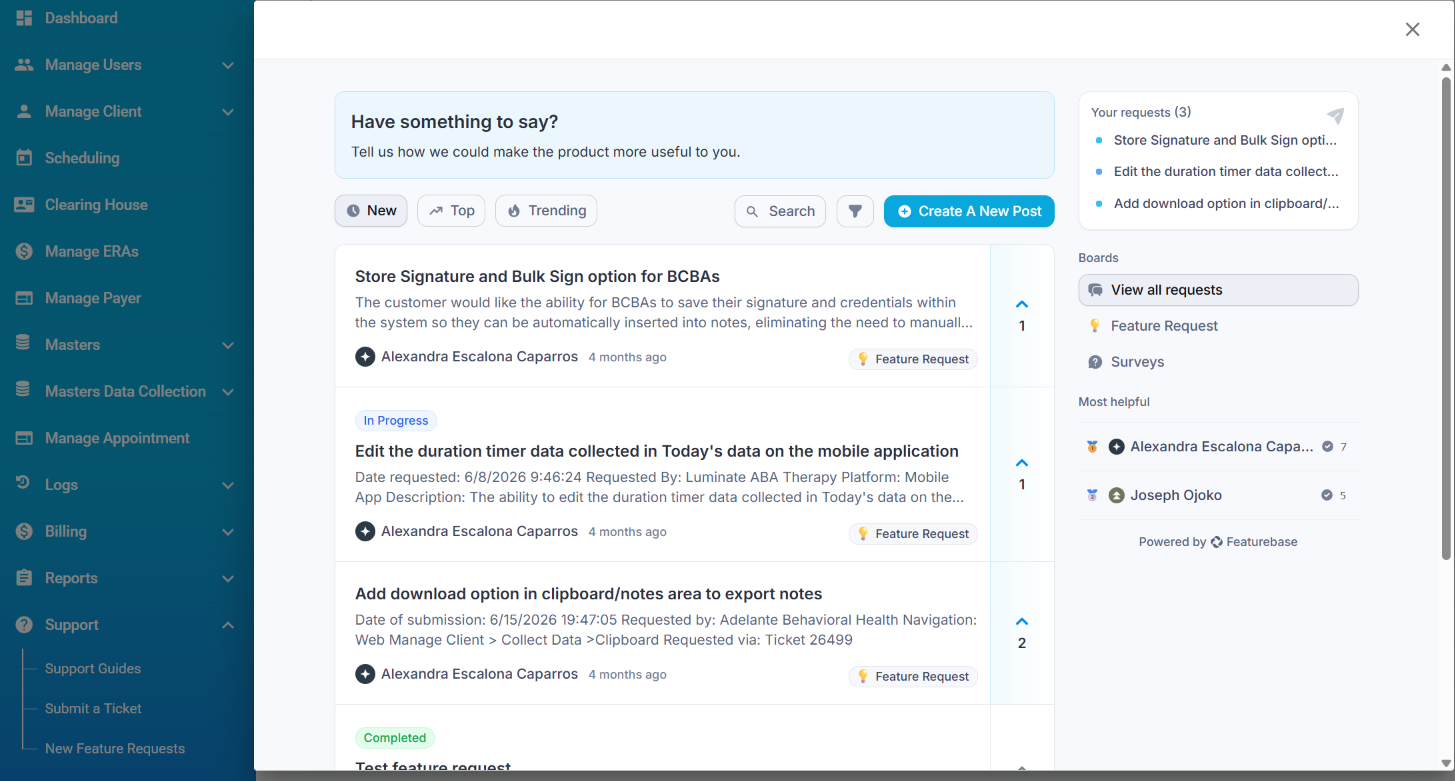
Picture 1: New Feature Requests Menu
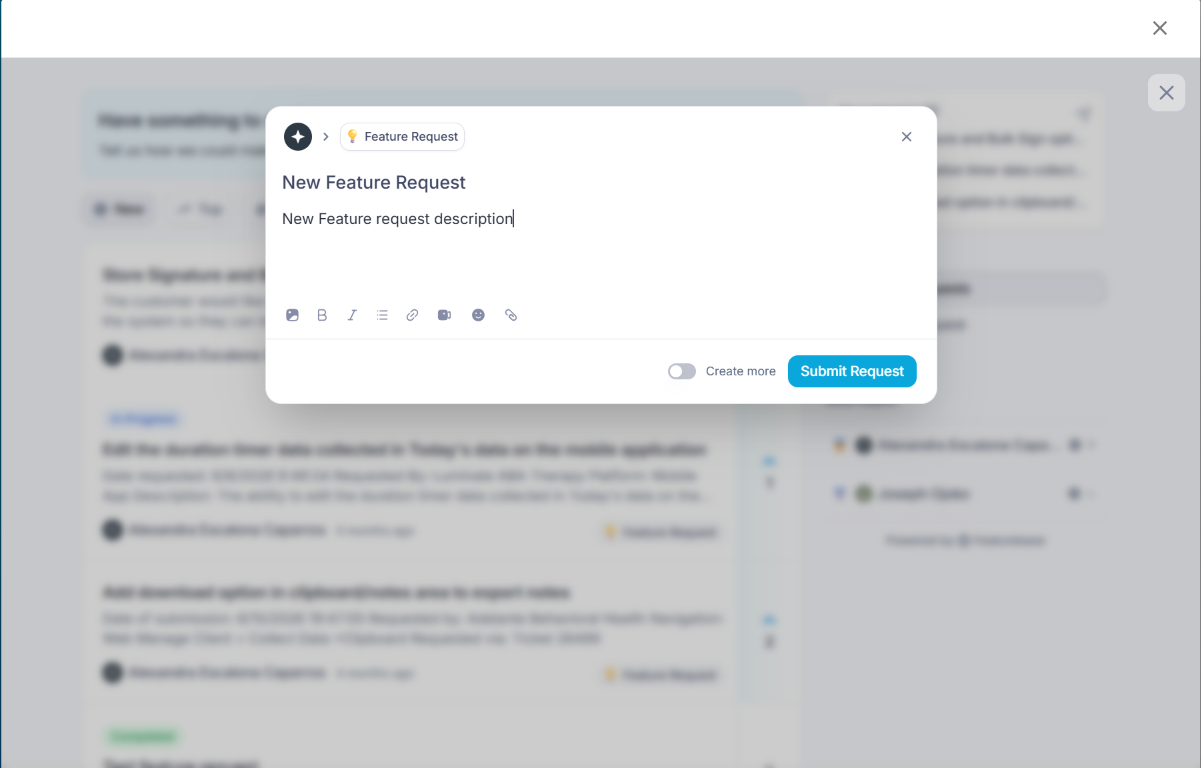
Picture 2: New Feature Requests pop-up.
Notes:
- Be specific about the screen or workflow your idea affects. Examples help our team understand the need.
- For bugs or urgent issues, contact Theralytics support instead of submitting a feature request.
Was this article helpful?
That’s Great!
Thank you for your feedback
Sorry! We couldn't be helpful
Thank you for your feedback
Feedback sent
We appreciate your effort and will try to fix the article